Spicy Cafe Font Review
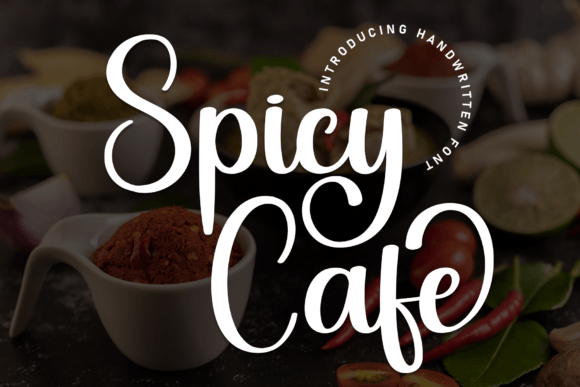
As a web designer, I often find myself searching for the perfect typeface to elevate a project’s visual identity. Spicy Cafe has quickly become one of my go-to fonts for creative headers and bold display elements. Its elegant script style brings a sense of sophistication that works well in both modern and vintage-themed designs.
First Impressions on a Landing Page
I first tested Spicy Cafe on a landing page for a boutique online store. The font’s flowing curves and refined details made it ideal for the hero section. It added a touch of luxury without overwhelming the layout. When paired with a clean sans serif for body text, the contrast was striking—spicy cafe brought personality to the headline while the other font kept the content readable.
The font’s swashes and ligatures gave it a handcrafted feel, which matched the brand’s aesthetic perfectly. Whether used in a large header or a small CTA button, Spicy Cafe maintained its charm and legibility.
Responsive Design and Mobile Usability
On mobile devices, Spicy Cafe held up surprisingly well. I tested it on a product landing page where the font was used for the main title. Even at smaller sizes, the strokes remained clear and the letterforms didn’t get lost in the background. This makes it a solid choice for responsive design projects where typography needs to adapt across screen sizes.
When placed over an image banner, the font’s weight and spacing allowed it to stand out without clashing. It worked especially well on dark backgrounds, where the white strokes provided good contrast. On light backgrounds, it still looked crisp and professional.
Font Pairing for Web Projects
One of the strengths of Spicy Cafe is how easily it pairs with other fonts. I used it alongside a simple serif font for a blog redesign, and the combination created a balanced, editorial feel. For a more modern look, pairing it with a sans serif font helped maintain clarity while keeping the design fresh.
For a coaching website, I used Spicy Cafe as the main heading and paired it with a bold display font for subheadings. The result was a visually dynamic layout that felt both professional and approachable. It’s also great for call-to-action buttons, where its elegance can add a subtle but effective touch of class.
Use Cases for Digital Branding
Spicy Cafe shines in digital branding projects. I used it for a creative portfolio site, where it served as the primary font for the homepage header. It gave the site a polished, artistic edge that resonated with the target audience. The font’s versatility allowed it to work in both large and small contexts, from hero sections to social media graphics.
For a course sales page, I experimented with using Spicy Cafe in the headline and key benefits section. It helped create a sense of exclusivity and quality, which aligned with the course’s premium positioning. The font’s flow and movement added energy to the page without distracting from the core message.
Accessibility and Readability Considerations
While Spicy Cafe is highly decorative, it’s important to use it strategically. In my testing, I found that it wasn’t suitable for long paragraphs or dense text blocks. It worked best in short phrases, headings, and decorative accents. For accessibility, I recommend using it only in areas where it doesn’t compromise readability, such as headlines or buttons.
When used in small sizes, like on navigation menus or form labels, the font became harder to read. That’s why I always suggest pairing it with a simpler font for body text. This ensures that the design remains functional and user-friendly while still maintaining a strong visual identity.
Commercial Use and Licensing
Before integrating Spicy Cafe into any client project, I always check the licensing details. The font comes with commercial use rights, which is essential for web designers working on client sites or e-commerce platforms. It’s available in multiple file formats, making it easy to implement in different environments.
The font includes alternate characters and ligatures, which give designers more control over the final look. These features are especially useful when creating custom branding assets or unique web layouts. They allow for a more personalized and cohesive design experience.